Start Here#
PyAutoLens AI Assistant#
The PyAutoLens AI Assistant supports conversation agents such as ChatGPT and coding agents such as Claude Code and Codex. You can get started simply by asking it a question about gravitational lensing or describing the task you would like to perform with PyAutoLens. See the autolens_assistant GitHub page for its full scope and instructions.
Human-Readable Overview#
PyAutoLens is software for analysing strong gravitational lenses, an astrophysical phenomenon where a galaxy appears multiple times because its light is bent by the gravitational field of an intervening foreground lens galaxy.
It uses JAX to accelerate lensing calculations, with the example code below all running significantly faster on GPU.
Here is a schematic of a strong gravitational lens:
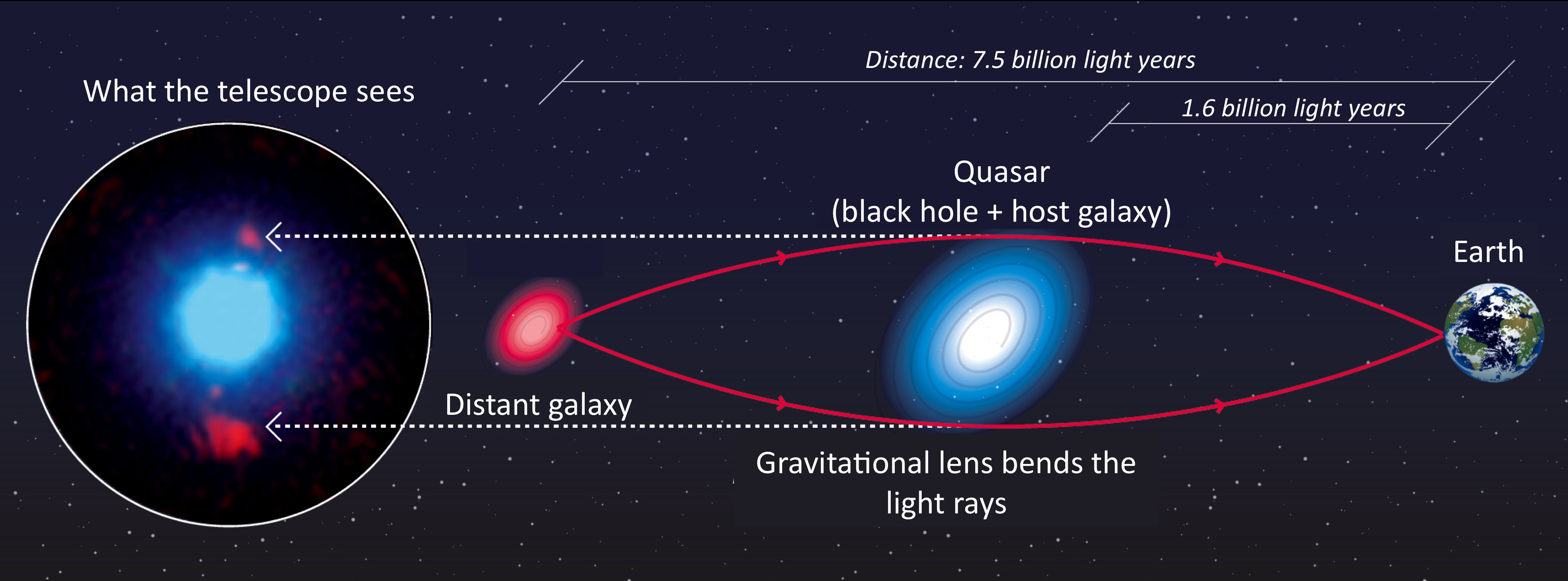
Credit: F. Courbin, S. G. Djorgovski, G. Meylan, et al., Caltech / EPFL / WMKO https://www.astro.caltech.edu/~george/qsolens/
This notebook gives an overview of PyAutoLens’s features and API.
Imports#
Lets first import autolens, its plotting module and the other libraries we’ll need.
You’ll see these imports in the majority of workspace examples.
import autolens as al
import autoarray as aa
import autolens.plot as aplt
Lets illustrate a simple gravitational lensing calculation, creating an an image of a lensed galaxy using a light profile and mass profile.
Grid#
The emission of light from a source galaxy, which is gravitationally lensed around the lens galaxy, is described
using the Grid2D data structure, which is two-dimensional Cartesian grids of (y,x) coordinates.
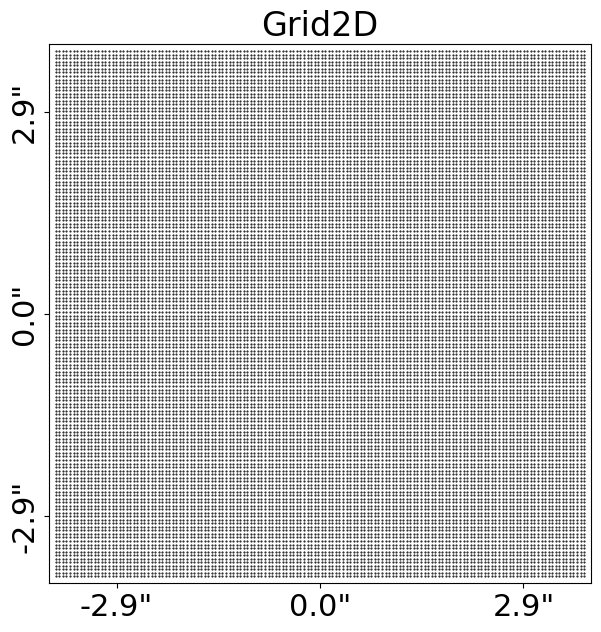
We make and plot a uniform Cartesian grid:
grid = al.Grid2D.uniform(
    shape_native=(150, 150),  # The [pixels x pixels] shape of the grid in 2D.
    pixel_scales=0.05,  # The pixel-scale describes the conversion from pixel units to arc-seconds.
)

aplt.plot_grid(grid=grid, title="")
The Grid2D looks like this:
Light Profiles#
Our aim is to create an image of the source galaxy after its light has been deflected by the mass of the foreground
lens galaxy. We therefore need to ray-trace the Grid2D’s coordinates from the ‘image-plane’ to the ‘source-plane’.
This uses analytic functions representing a galaxy’s light and mass distributions, referred to as LightProfile and
MassProfile objects.
A common light profile in Astronomy is the elliptical Sersic, which we create an instance of below:
sersic_light_profile = al.lp.Sersic(
    centre=(0.0, 0.0),  # The light profile centre [units of arc-seconds].
    ell_comps=(
        0.2,
        0.1,
    ),  # The light profile elliptical components [can be converted to axis-ratio and position angle].
    intensity=0.005,  # The overall intensity normalisation [units arbitrary and are matched to the data].
    effective_radius=2.0,  # The effective radius containing half the profile's total luminosity [units of arc-seconds].
    sersic_index=4.0,  # Describes the profile's shape [higher value -> more concentrated profile].
)
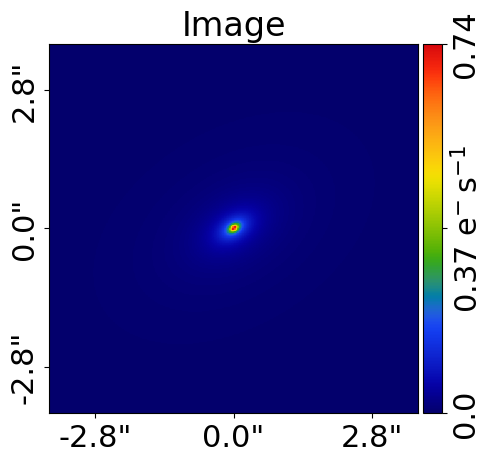
By passing the light profile the grid, we evaluate the light emitted at every (y,x) coordinate and therefore create
an image of the Sersic light profile.
image = sersic_light_profile.image_2d_from(grid=grid)
Plotting#
In-built plotting methods are provided for plotting objects and their properties, like the image of a light profile we just created.
By using aplt.plot_array to plot the light profile’s image, the figure is improved.
Its axis units are scaled to arc-seconds, a color-bar is added, descriptive labels are included, etc.
The plot module is highly customizable and designed to make it straight forward to create clean and informative figures for fits to large datasets.
aplt.plot_array(array=sersic_light_profile.image_2d_from(grid=grid), title="Image")
Mass Profiles#
PyAutoLens uses MassProfile objects to represent a galaxy’s mass distribution and perform ray-tracing calculations.
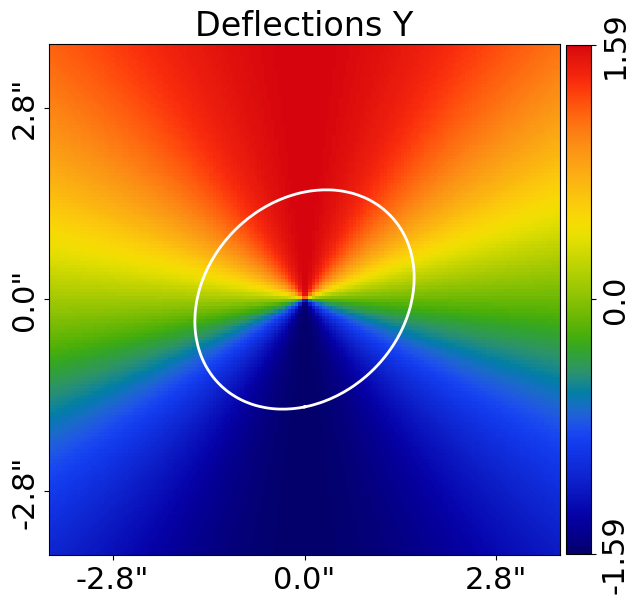
Below we create an elliptical isothermal MassProfile and compute its deflection angles on our Cartesian grid, where the deflection angles describe how the lens galaxy’s mass bends the source’s light:
isothermal_mass_profile = al.mp.Isothermal(
    centre=(0.0, 0.0),  # The mass profile centre [units of arc-seconds].
    ell_comps=(
        0.1,
        0.0,
    ),  # The mass profile elliptical components [can be converted to axis-ratio and position angle].
    einstein_radius=1.6,  # The Einstein radius [units of arc-seconds].
)

deflections = isothermal_mass_profile.deflections_yx_2d_from(grid=grid)
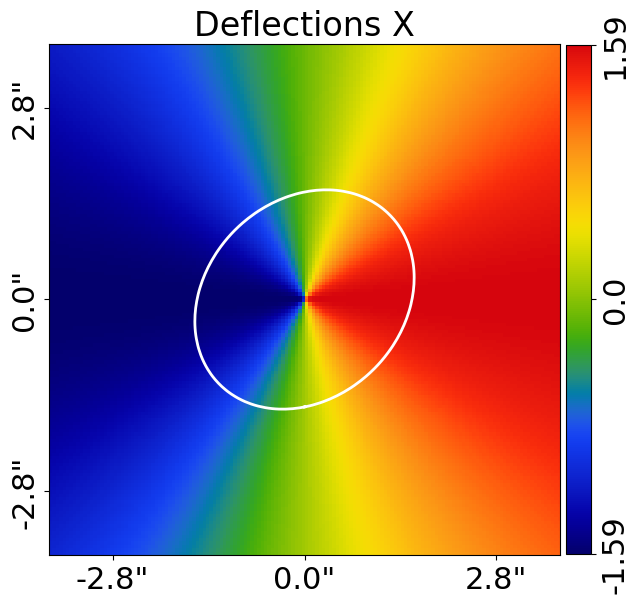
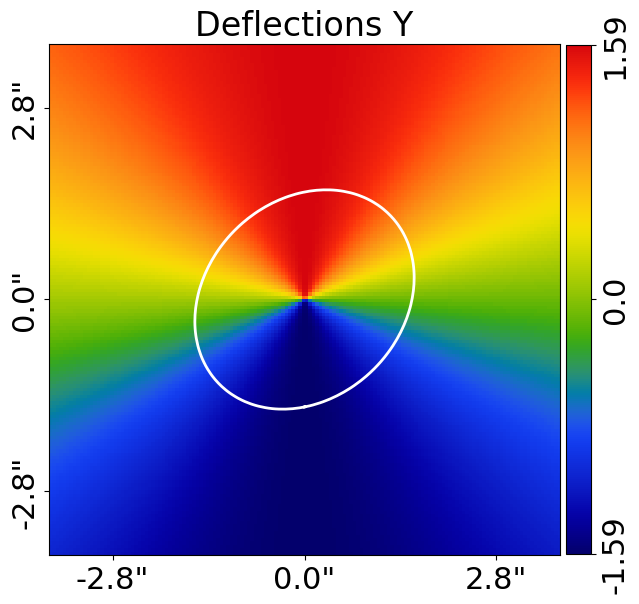
The deflection angles are easily plotted using the PyAutoLens plot module.
Many other lensing quantities are also easily plotted, for example the convergence and potential.
deflections_y = aa.Array2D(values=deflections.slim[:, 0], mask=grid.mask)
aplt.plot_array(array=deflections_y, title="Deflections Y")

deflections = isothermal_mass_profile.deflections_yx_2d_from(grid=grid)
deflections_x = aa.Array2D(values=deflections.slim[:, 1], mask=grid.mask)
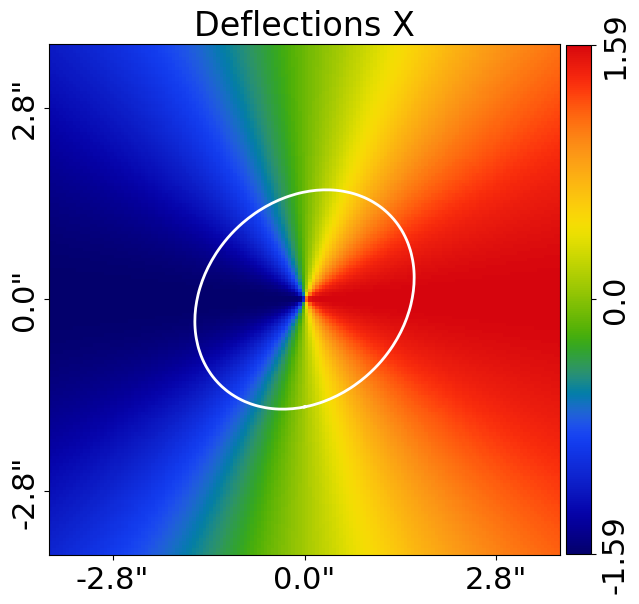
aplt.plot_array(array=deflections_x, title="Deflections X")

aplt.plot_array(array=isothermal_mass_profile.convergence_2d_from(grid=grid), title="Convergence")
aplt.plot_array(array=isothermal_mass_profile.potential_2d_from(grid=grid), title="Potential")
Galaxy#
A Galaxy object is a collection of light profiles at a specific redshift.
This object is highly extensible and is what ultimately allows us to fit complex models to strong lens images.
We create two galaxies representing the lens and source galaxies shown in the strong lensing diagram above.
lens_galaxy = al.Galaxy(
    redshift=0.5,
    light=sersic_light_profile,  # The foreground lens's light is typically observed in a strong lens.
    mass=isothermal_mass_profile,  # Its mass is what causes the strong lensing effect.
)

source_light_profile = al.lp.Exponential(
    centre=(
        0.3,
        0.2,
    ),  # The source galaxy's light is observed, appearing as multiple images around the lens galaxy.
    ell_comps=(
        0.1,
        0.0,
    ),  # However, the mass of the source does not impact the strong lensing effect.
    intensity=0.1,  # and is not included.
    effective_radius=0.5,
)

source_galaxy = al.Galaxy(redshift=1.0, light=source_light_profile)
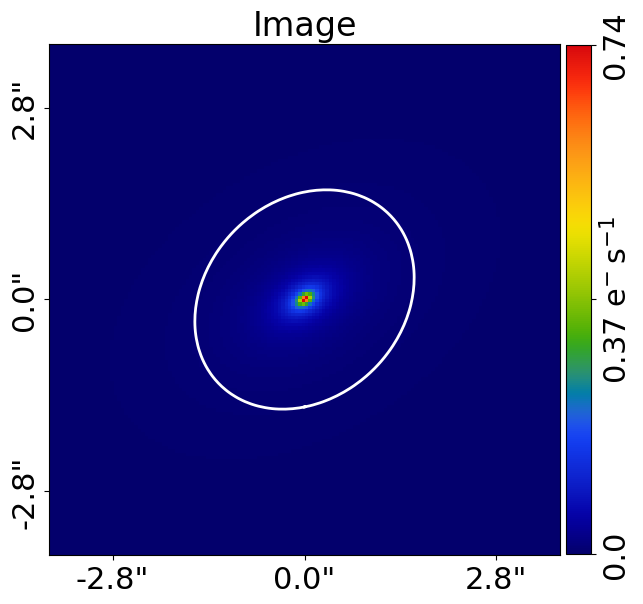
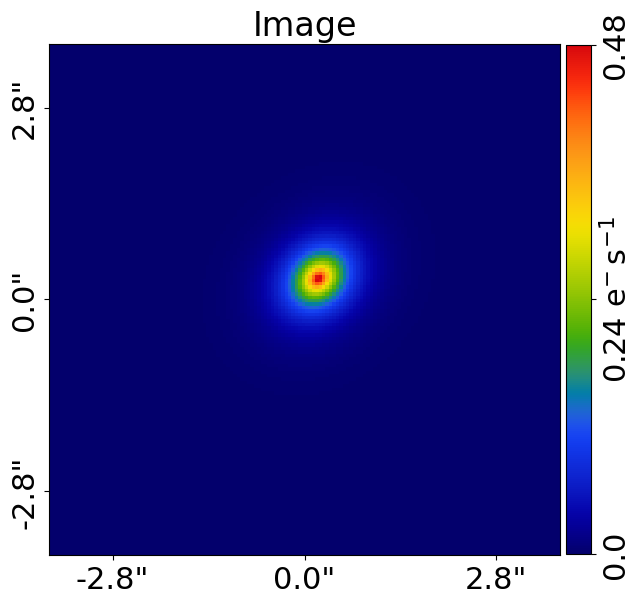
We can plot properties of the lens and source galaxies using aplt.plot_array:
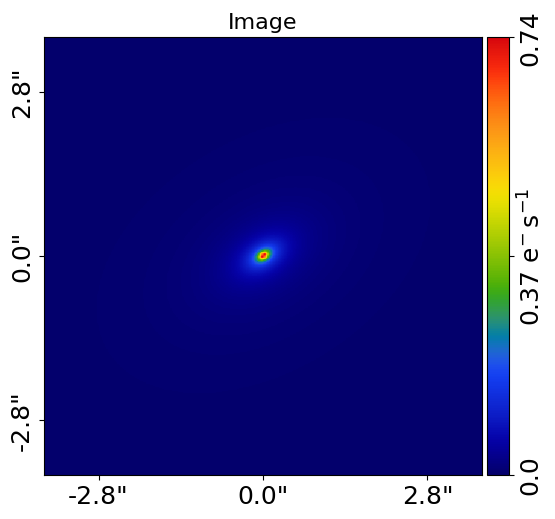
aplt.plot_array(array=lens_galaxy.image_2d_from(grid=grid), title="Lens Galaxy Image")
aplt.plot_array(array=source_galaxy.image_2d_from(grid=grid), title="Source Galaxy Image")
The individual light profiles of the galaxy can be plotted on a subplot:
aplt.subplot_galaxy_light_profiles(galaxy=lens_galaxy, grid=grid)
Tracer#
The Tracer object is the most important object in PyAutoLens.
It is a collection of galaxies at different redshifts (often referred to as planes).
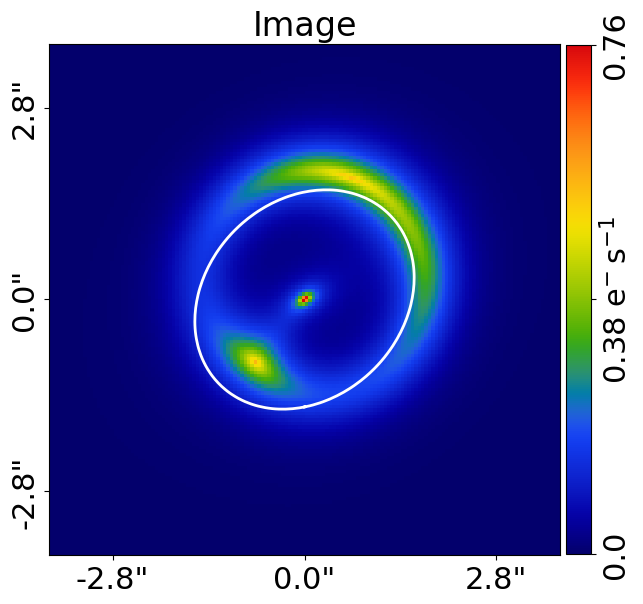
It uses these galaxies to perform ray-tracing, using the mass profiles of the galaxies to bend the light of the source galaxy(s) into the multiple images we observe in a strong lens system.
This is shown below, where the image of the tracer shows a distinct Einstein ring of the source galaxy.
tracer = al.Tracer(galaxies=[lens_galaxy, source_galaxy], cosmology=al.cosmo.Planck15())

aplt.plot_array(array=tracer.image_2d_from(grid=grid), title="Image")
Units#
The units used throughout the strong lensing literature vary, therefore lets quickly describe the units used in PyAutoLens.
The Tracer object and all mass profiles describe their quantities in terms of angles, which are defined in units
of arc-seconds. To convert these to physical units (e.g. kiloparsecs), we use the redshift of the lens and source
galaxies and an input cosmology. A run through of all normal unit conversions is given in guides in the workspace
that are discussed later.
The use of angles in arc-seconds has an important property, it means that for a two-plane strong lens system (e.g. a lens galaxy at one redshift and source galaxy at another redshift) lensing calculations are independent of the galaxies’ redshifts and the input cosmology. This has a number of benefits, for example it makes it straight forward to compare the lensing properties of different strong lens systems even when the redshifts of the galaxies are unknown.
Multi-plane lensing is when there are more than two planes. The tracer fully supports this, if you input 3+ galaxies with different redshifts into the tracer it will use their redshifts and its cosmology to perform multi-plane lensing calculations that depend on them.
Extensibility#
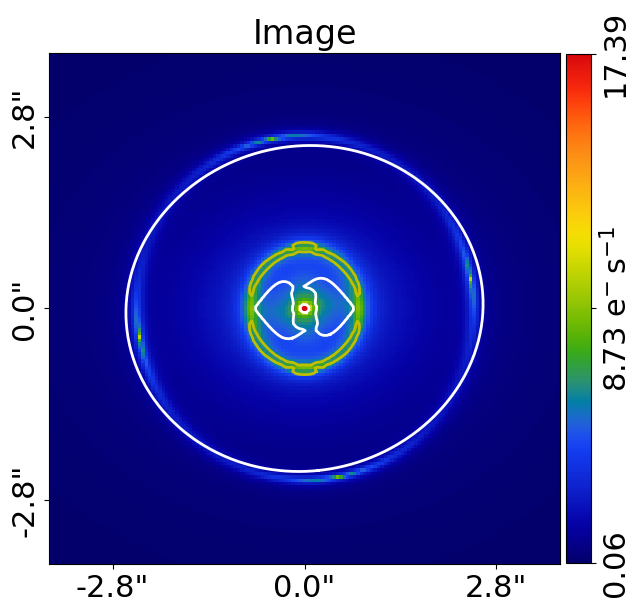
All of the objects we’ve introduced so far are highly extensible, for example a tracer can be made of many galaxies, a galaxy can be made up of any number of light profiles and many galaxy objects can be combined into a galaxies object.
Below, wecreate a Tracer with 3 galaxies at 3 different redshifts, forming a system with two distinct Einstein
rings! The mass distribution of the first galaxy has separate components for its stellar mass and dark matter, where
the stellar components use a LightAndMassProfile via the lmp module.
lens_galaxy_0 = al.Galaxy(
    redshift=0.5,
    bulge=al.lmp.Sersic(
        centre=(0.0, 0.0),
        ell_comps=(0.0, 0.05),
        intensity=0.5,
        effective_radius=0.3,
        sersic_index=3.5,
        mass_to_light_ratio=0.6,
    ),
    disk=al.lmp.Exponential(
        centre=(0.0, 0.0),
        ell_comps=(0.0, 0.1),
        intensity=1.0,
        effective_radius=2.0,
        mass_to_light_ratio=0.2,
    ),
    dark=al.mp.NFWSph(centre=(0.0, 0.0), kappa_s=0.08, scale_radius=30.0),
)

lens_galaxy_1 = al.Galaxy(
    redshift=1.0,
    bulge=al.lp.Exponential(
        centre=(0.00, 0.00),
        ell_comps=(0.05, 0.05),
        intensity=1.2,
        effective_radius=0.1,
    ),
    mass=al.mp.Isothermal(
        centre=(0.0, 0.0), ell_comps=(0.05, 0.05), einstein_radius=0.6
    ),
)

source_galaxy = al.Galaxy(
    redshift=2.0,
    bulge=al.lp.Sersic(
        centre=(0.0, 0.0),
        ell_comps=(0.0, 0.111111),
        intensity=0.7,
        effective_radius=0.1,
        sersic_index=1.5,
    ),
)

tracer = al.Tracer(galaxies=[lens_galaxy_0, lens_galaxy_1, source_galaxy])

aplt.plot_array(array=tracer.image_2d_from(grid=grid), title="Image")
Lens Modeling#
Lens modeling is the process of fitting a physical model to strong-lensing data in order to infer the properties of the lens and source galaxies.
The primary goal of PyAutoLens is to make lens modeling simple, scalable to large datasets, and fast, with GPU acceleration provided via JAX.
The animation below illustrates the lens modeling workflow. Many models are fitted to the data iteratively, progressively improving the quality of the fit until the model closely reproduces the observed image.
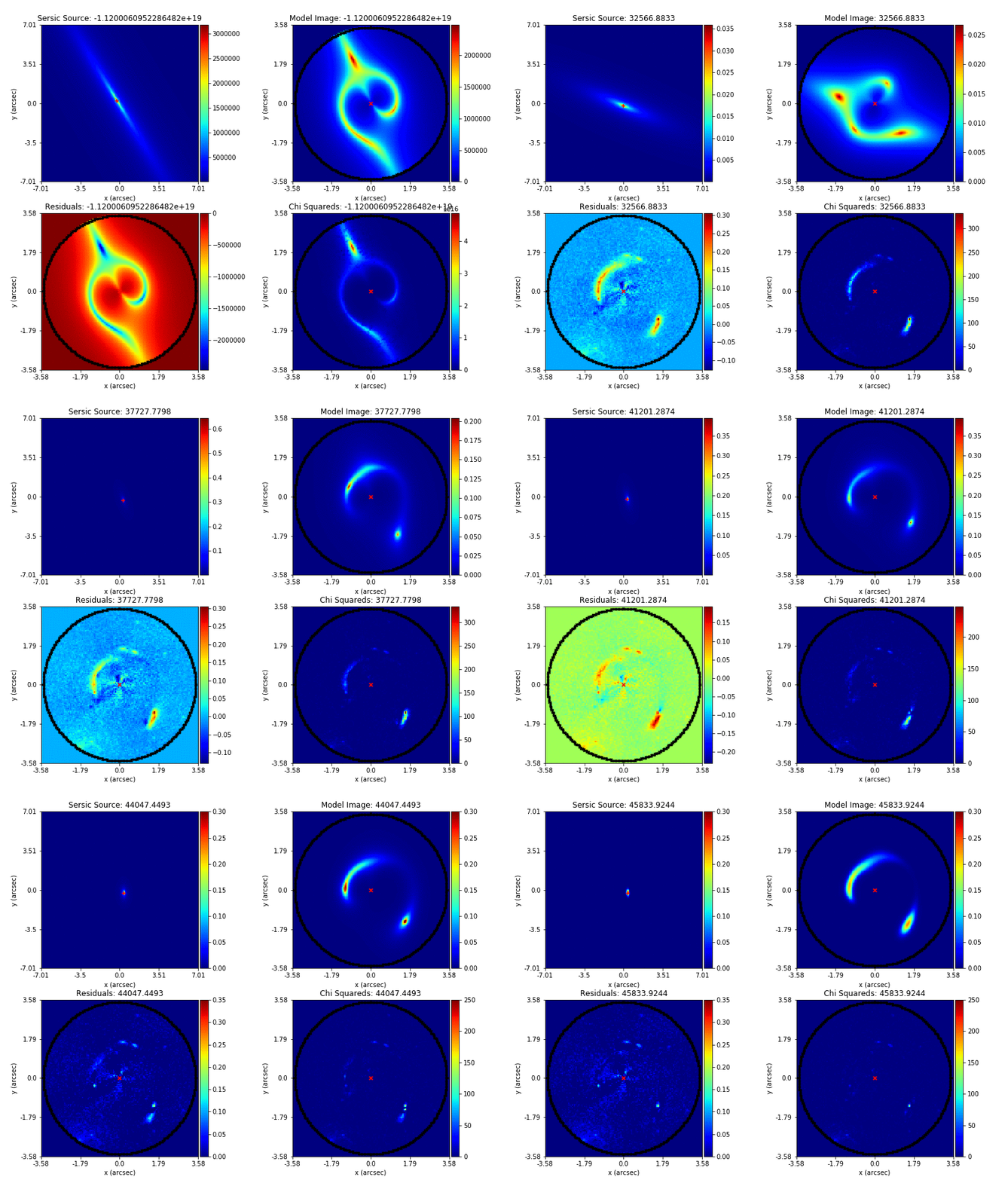
Credit: Amy Etherington
The next documentation page guides you through lens modeling for a variety of lensing regimes (galaxy-scale, multi-galaxy, group-scale and cluster-scale lenses) and data types (e.g. CCD imaging, interferometer data).
Simulations#
Simulating strong lenses is often essential, for example to:
Practice lens modeling before working with real data.
Generate large training sets (e.g. for machine learning).
Test lensing theory in a fully controlled environment.
The next documentation page guides you through how to simulate lenses for different types of strong lenses (galaxy-scale, multi-galaxy, group-scale and cluster-scale) and different types of data (e.g. CCD imaging, interferometer data).
Wrap Up#
This completes the introduction to PyAutoLens, including a brief overview of the core API for lensing calculations, lens modeling, and data simulation.
Different users will be interested in strong lenses across different lensing regimes (galaxy-scale, multi-galaxy, group-scale or cluster-scale lenses) and using different data types (e.g. CCD imaging or interferometer data).
The autolens_workspace repository contains a wide range of examples and tutorials covering these use cases. The next documentation page helps new users identify the most appropriate starting point based on their scientific goals.